


 Counter-Strike 1.6 Download
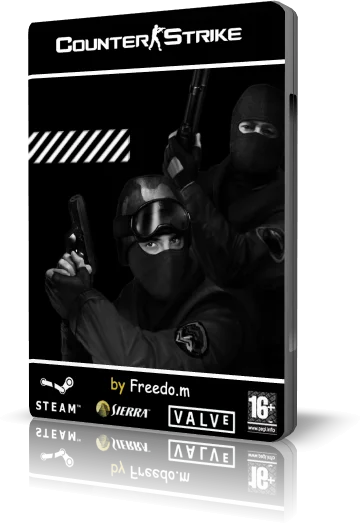
Welcome to CSDownload.lt – the place for a clean Counter-Strike 1.6 download. We made our own free non-steam CS 1.6 setup because most “free CS 1.6” installers on the internet are full of ads, slowhack binds and server redirects that ruin the game.
Our setup is one small installer: no registration, no Steam account and no extra programs. It installs the classic CS 1.6 with bots, protocol 48 and a working server list, and it runs on Windows 11, 10, 8.1 and 7.
Download CS 1.6 free with the Download Setup button below, install it in two minutes and play online the same day.
What you get in our CS 1.6 setup
- Classic Counter-Strike 1.6 – all standard maps (de_dust2, de_inferno, de_nuke, de_train, cs_office, cs_italy and more), original weapons, models and sounds.
- Protocol 48 – the latest CS 1.6 protocol, joins both old and new servers.
- Working server list – our own master server keeps the Find servers list full of live CS 1.6 servers.
- Bots – play offline against bots on any map.
- Ready config – network, FPS and mouse settings tuned for online play without lag.
- Clean installer – no adware, no toolbars, no binds that change your settings.
More details: Counter-Strike 1.6 download free.
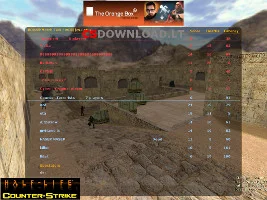
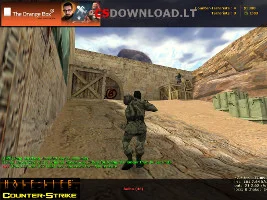
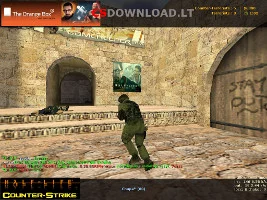
How to download and install CS 1.6
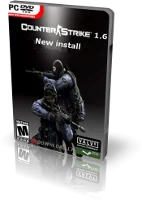
- Click Download Setup at the top of the page and save the file.
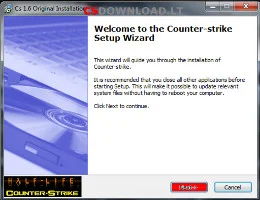
- Run the setup. If Windows SmartScreen appears, click More info → Run anyway.
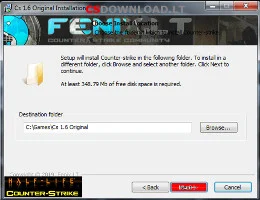
- Choose an install folder, for example
C:\Games\Counter-Strike 1.6(not Program Files). - Click Install, wait about a minute and click Finish.
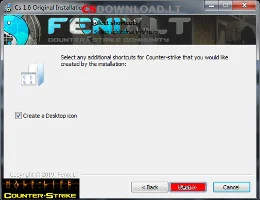
- Start Counter-Strike 1.6 from the desktop shortcut, set your nickname and open Find servers.
Full guide with fixes for Windows 11 and 10: Counter-Strike 1.6 download and install.
Choose your CS 1.6 version

Our main setup suits most players. If you want a different look or an older build, we also keep the most popular versions of Counter-Strike 1.6:
- CS 1.6 latest version – newest build with protocol 48
- CS 1.6 Original – closest to the original game
- CS 1.6 Non-Steam – classic non-steam client
- CS 1.6 v43 – old build for nostalgia
- CS 1.6 47/48 protocol – joins any server
- XTCS Final Release – improved textures, models and sounds
- CS 1.6 LongHorn and Orange Box – custom editions
- CS 1.6 for Windows 10 and Windows 11
- CS 1.6 for Android – playing on a phone


CS 1.6 system requirements and settings without lag

CS 1.6 is one of the lightest online shooters ever made.
Minimum: CPU 0.8 GHz, RAM 128 MB, video card 32 MB, 650 MB free disk space.
Recommended: CPU 1.2 GHz, RAM 512 MB, video card 128 MB, 750 MB free disk space.
Our setup already has good network settings. If you still see lag, open the console (~) and check:
rate 100000– data from the servercl_cmdrate 101andcl_updaterate 101– update rate between you and the serverex_interp 0.01– smoother hit registrationfps_max 100– stable 100 FPSnet_graph 3– shows FPS, ping and loss
Also turn off V-Sync in your video card settings. Ready-made configs: CS 1.6 cfg. More help: CS 1.6 FPS boost, console commands and errors and fixes.


Play CS 1.6 online

Counter-Strike 1.6 is still alive because of its community servers: classic Public, CSDM, GunGame, Knife, Surf, Jailbreak and many more. Open Find servers → Internet in the game menu, sort by ping and join a server with players, or connect from the console with
connect IP:port.
- CS 1.6 servers – popular community servers
- CS 1.6 master server – how the server list works
- CS 1.6 with bots – practise offline first
- Server boost and hosting – for server owners
Counter-Strike was created by Minh Le and Jess Cliffe as a Half-Life mod and later bought by Valve. Version 1.6 came out in 2003 and is still played all over the world – in Lithuania, Poland, Russia, Ukraine, Romania, Brazil, Mongolia and many other countries.


FAQ – Counter-Strike 1.6 download
Is this Counter-Strike 1.6 download free?
Yes. Our non-steam CS 1.6 setup is free – no registration, no SMS and no payment.
Do I need Steam to play?
No. The non-steam version works without a Steam account. The official Valve version is sold on Steam.
Does CS 1.6 work on Windows 11?
Yes. If you get a black screen, choose OpenGL in video options. More tips: CS 1.6 for Windows 11.
Can I play online?
Yes. The server list in the game shows live CS 1.6 servers through our master server.
Is CS 1.6 better than CS2?
They are different games. CS 1.6 is faster, simpler and runs on any PC; CS2 needs a modern computer. Many players enjoy both.