


CS 1.6 NextClient – Modern Features for Counter-Strike 1.6
NextClient is an open-source community project that adds modern features to Counter-Strike 1.6 while keeping the classic gameplay. It brings widescreen FOV, a better killfeed, crosshair styles, GUI themes, CS:GO-style viewmodel effects and new tools for server developers using AMX Mod X. The project is developed on GitHub by the CS-NextClient team with contributors such as Polarhigh.
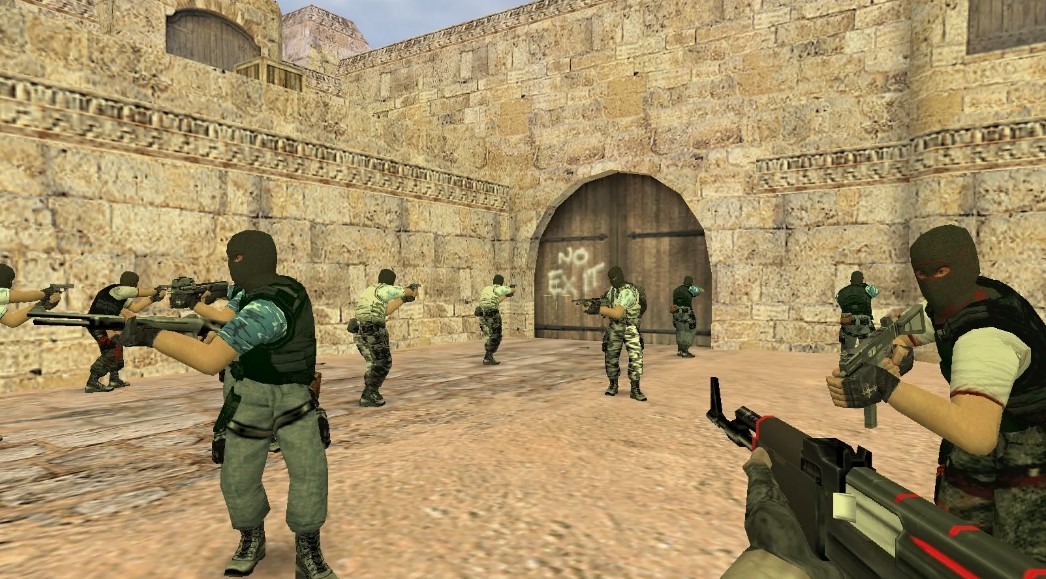
NextClient features
Gameplay and HUD
- FOV adjustment for 16:9 screens.
- Advanced killfeed (wallbang, through smoke, in air).
- Crosshair styles: dot, circle, T-shape.
- Switchable GUI themes.
- HP display above 255 (with server modules).
- Colour chat in the console and download progress indicators.
Viewmodel and visuals
- CS:GO-style weapon sway and viewmodel shift.
- Client-side weapon inspect.
- Bone-driven camera motion.
- Option to disable multitexturing for older hardware.
For server developers
- Cvar sandbox – per-client cvar changes.
- Sprite API for on-screen overlays.
- Custom viewmodel effects and killfeed/HUD integration.
- Extended precache handling.
How to install NextClient
According to the project’s instructions, NextClient works with the Steam version of Counter-Strike on engine build 8684:
- In Steam, open Counter-Strike properties → Betas → select steam_legacy – Pre-25th Anniversary Build.
- Copy the whole game folder outside the Steam directory (keep the original as a backup).
- In the copy, rename
steam_api.dlltosteam_api_orig.dll. - Extract the NextClient release files into the copied folder.
- Start the game with
cstrike.exefrom that folder, not from Steam.
Always check the latest instructions and download releases only from the official NextClient GitHub page.
Change the master server
NextClient lets you choose which master server the server browser uses. Edit platform\config\MasterServers.vdf, for example:
"MasterServer"
{
   "Selected"     "1"
   "CacheServers" "false"
   "Servers"
   {
      "Steam"
      {
         "address" "hl1master.steampowered.com:27011"
         "region"  "0x03"
      }
   }
}
More about master servers: CS 1.6 master server.
Build from source
Requirements: MSVC 2022, CMake 3.21+, Ninja (optional).
git clone --recurse-submodules https://github.com/CS-NextClient/NextClient.git
cd NextClient
cmake -G "Ninja" -B cmake-build-release -DCMAKE_BUILD_TYPE=Release
cmake --build cmake-build-release -t BUILD_ALL

set NEXTCLIENT_INSTALL_DIR=<target-directory>
cmake --build cmake-build-release -t INSTALL_ALL
Only Ninja and NMake generators are supported.
NextClient or a classic client?
NextClient is great if you own CS on Steam and want modern comfort features. If you just want to install and play quickly without Steam, a classic non-steam client is simpler: free CS 1.6 setup. Other modern builds: CS 1.6 latest version.