


CS 1.6 Crosshair Settings – Commands, Colors and Best Setups
Your crosshair is the thing you look at most in Counter-Strike 1.6. A crosshair that is too big hides heads at long range, a colour that blends into the map makes you lose it in fights, and a crosshair that jumps around while you move can confuse your aim. The good news: CS 1.6 crosshair settings are simple, and a few commands are enough to get a clean, comfortable setup.
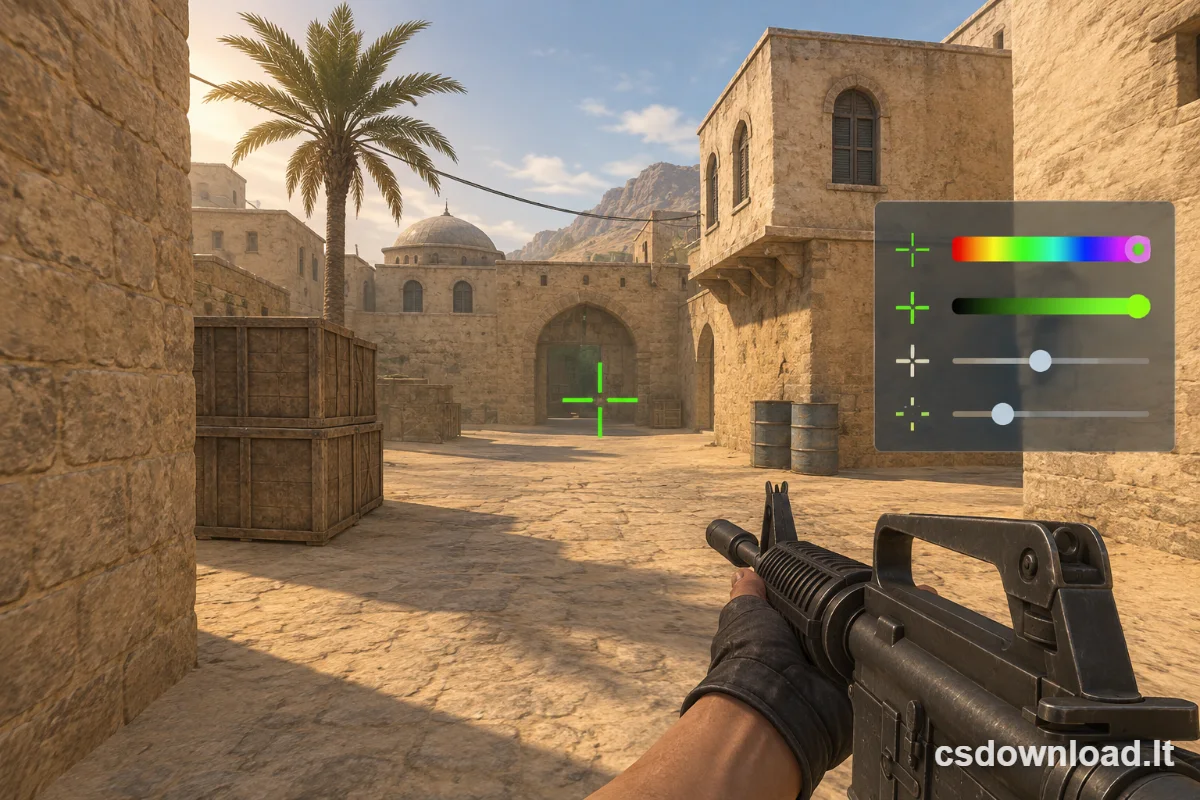
Everything in this guide works in our free non-steam setup with protocol 48 and a tuned config. If you do not have the game yet, download CS 1.6 free for Windows 11/10/8.1/7.
CS 1.6 crosshair settings in the game menu
The quickest way is the built-in options window:
- Open Options from the main menu.
- Go to the Multiplayer tab and click Advanced.
- Choose the crosshair colour, size and whether it should be translucent.
- Click OK – the change is saved to your config automatically.
The menu only offers a few preset colours. For a custom colour or exact control, use the console.
CS 1.6 crosshair settings: console commands
Open the console with the ~ key and type the commands below. For more console tips see our CS 1.6 console commands list.
| Command | Values | What it does |
|---|---|---|
crosshair |
1 / 0 | Shows or hides the crosshair |
cl_crosshair_size |
auto, small, medium, large | Crosshair size; “auto” changes with your screen resolution |
cl_crosshair_color |
“R G B” (0–255) | Crosshair colour, e.g. cl_crosshair_color "50 250 50" for the default green |
cl_crosshair_translucent |
1 / 0 | 1 = see-through, 0 = solid |
cl_dynamiccrosshair |
1 / 0 | 1 = crosshair opens when you move or shoot, 0 = static |
Dynamic or static crosshair?
By default the CS 1.6 crosshair is dynamic: the lines spread apart when you run, jump or spray. This is useful for beginners because it shows when your shots are inaccurate. Many experienced players switch it off with cl_dynamiccrosshair 0, because a crosshair that stays still is easier to place on a head. Note that turning it off does not change real weapon accuracy – running and spraying are still inaccurate, you just don’t see it.
A good rule: keep it dynamic while you learn movement and recoil, then try the static one and use whichever feels better.
Best colours for CS 1.6 crosshair settings
The best colour is one that stands out on the maps you play most. Popular choices:
- Green
"50 250 50"– the classic default, visible on most maps. - Cyan
"0 255 255"– very visible on de_dust2 and other sandy maps. - Yellow
"255 255 0"– bright on dark maps like de_nuke. - Pink / magenta
"255 0 255"– almost never appears in map textures, so it is hard to lose.
Avoid red and brown tones on desert maps, and avoid white if you play a lot of snow maps. Not sure which maps you will play most? See our list of the best CS 1.6 maps.
Example setups
Clean static crosshair
cl_crosshair_size small

cl_crosshair_color "0 255 255"

cl_crosshair_translucent 0

cl_dynamiccrosshair 0
Small, solid and still – good for rifles on classic maps.
Beginner-friendly crosshair
cl_crosshair_size medium

cl_crosshair_color "50 250 50"

cl_crosshair_translucent 1

cl_dynamiccrosshair 1
Easy to see and shows when you are moving too much to shoot accurately.
Saving your CS 1.6 crosshair settings in a config
Settings made in the console are usually saved when you exit the game, but some servers change client settings. To keep your crosshair safe, put the commands in a file called userconfig.cfg or autoexec.cfg in the cstrike folder. The game runs it at startup. Our CS 1.6 cfg guide explains how config files work.
Tip: if your crosshair looks blurry or too thin, check that the game runs at your monitor’s native resolution, and that FPS is stable – our CS 1.6 FPS boost guide helps with that.
Valve still sells the official Counter-Strike 1.6 release – see the Counter-Strike page on Steam.
FAQ
Why did my crosshair disappear?
Type crosshair 1 in the console. Some servers or old configs turn it off. If it is still missing, set cl_crosshair_translucent 0 and choose a brighter colour.
Can I make a dot-only crosshair in CS 1.6?
Not with the standard commands – the default game only has the four-line crosshair. Some custom game builds and servers add other styles, but the commands above are what normal CS 1.6 supports.
Where can I test my crosshair?
Start a New Game with bots or join a deathmatch server. Our CSDM server at 185.80.128.244:27017 is a quick place to test it in real fights: type connect 185.80.128.244:27017 in the console.
Spend five minutes on your CS 1.6 crosshair settings once, save them in a config, and you will not have to think about them again.