


Counter-Strike 1.6 Download Free – Non-Steam CS 1.6 Setup (2026)
a qidiryapsizlar counter strike 1.6 download free that just works? On this page you get our free bug'siz CS 1.6 sozlamalari: one installer, no registration, no Steam account, and no extra programs bundled in. It installs the classic Counter-Strike 1.6 with bots, a working server list and the latest protocol 48, so you can play online the same day.
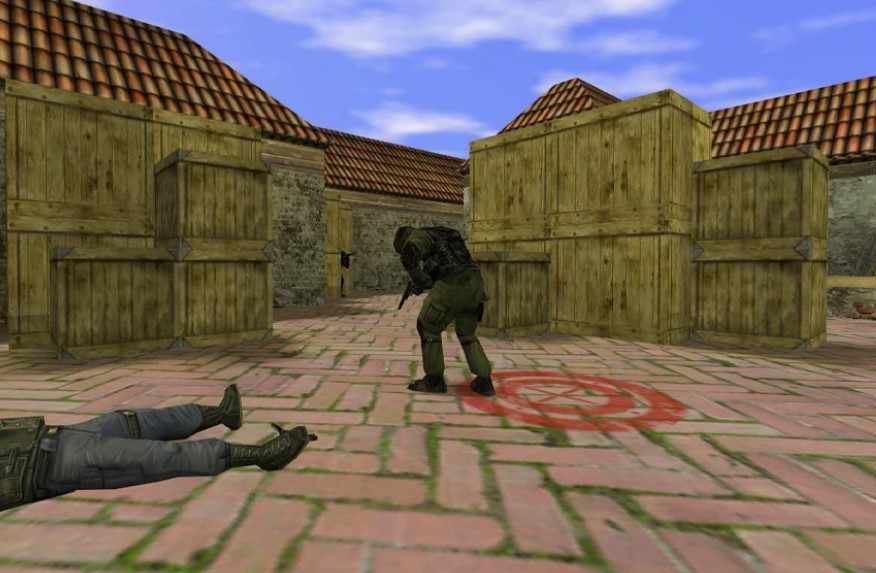
What you get in our free CS 1.6 setup
- Klassik Counter-Strike 1.6 – original maps (de_dust2, de_inferno, de_nuke, cs_office and more), original weapons, models and sounds.
- Protokol 48 – the latest CS 1.6 protocol, connects to both old and new servers.
- Ishlaydigan serverlar ro'yxati – our own master server shows live CS 1.6 servers, so the “Find servers” tab is never empty.
- Bots included – play offline against bots on any map, good for warming up or a slow internet connection.
- Tayyor konfiguratsiya – rates, FPS and mouse settings already tuned for online play without lag.
- Toza o'rnatuvchi – no adware, no toolbars, no “recommended offers”, no slowhack binds that change your settings.
- Windows 11, 10, 8.1 va 7 – 32-bit and 64-bit.
How to download and install CS 1.6 (2 minutes)
- bosing Download CS 1.6 free setup on this page and save the file.
- Run the downloaded setup file. If Windows SmartScreen shows a warning, click Batafsil ma'lumot → Baribir ishga tushirish (it appears for every unsigned game installer).
- Choose the install folder, for example
C:\Games\Counter-Strike 1.6. Qoching Dasturlar fayllari – the game saves configs in its own folder. - Wait until the installation finishes and click tugatmoq.
- boshlanish Counter-Strike 1.6 from the desktop shortcut, set your nickname in Variantlar → Ko'p o'yinchi va oching Serverlarni toping.
Full step-by-step guide with screenshots: Counter-Strike 1.6 yuklab oling va o'rnating.
CS 1.6 system requirements
| minimum | Tavsiya | |
| OS | Windows 7 | Windows 10 / 11 |
| Markaziy protsessor | 800 MHz | 1.2 gigagertsli yoki tezroq |
| Ram | 128 MB | 512 MB+ |
| Video karta | 32 MB | 128 MB+ |
| Bepul disk maydoni | 650 MB | 750 MB |
Almost any computer or laptop made in the last 15 years runs CS 1.6 at 100 FPS.
Play online without lag
The setup already contains good network settings. If you still see lag, open the console (~) and check these commands:
rate 100000– data from the server per secondcl_cmdrate 101vacl_updaterate 101– how often your client and the server exchange updatesex_interp 0.01– silliqroq zarba ro'yxatga olishfps_max 100– barqaror 100 FPSnet_graph 3– shows FPS, ping and loss on screen
Shuningdek, o'chirib qo'ying V-Sync in your video card settings – it limits FPS and adds input delay. More tips: CS 1.6 FPS kuchaytirgichi va CS 1.6 konsol buyruqlari.
Which CS 1.6 version to choose?
This free setup is the clean, classic version and suits most players. If you prefer a different look, we also have:
- CS 1.6 Original – closest to the original 2003 game
- Windows 10 uchun CS 1.6 – tested on Windows 10 and 11
- XTCS yakuniy versiyasi – improved models, textures and sounds
FAQ – counter strike 1.6 download free
Is this CS 1.6 download really free?
Yes. The non-steam setup on this page is free to download – no registration, no SMS, no payment.
Do I need Steam?
No. This is a non-steam version, it does not need a Steam account or the Steam client. If you want the official Valve release, Counter-Strike is sold on Steam – most CS 1.6 servers accept both Steam and non-steam players.
Can I play online with this version?
Ha. Ochiq Serverlarni toping in the game menu – the server list shows live CS 1.6 servers. You can also connect directly through the console: connect IP:port.
CS 1.6 Windows 11 da ishlaydimi?
Yes. If the game starts with a black screen, set video mode to OpenGL in Variantlar → Video and run the game once as administrator.
Why does my antivirus warn about the setup?
Many antiviruses flag every unsigned game installer as “unknown”. Download the setup only from this page – we do not add any extra programs to it.
How big is the download?
The installer is small and downloads in 1–2 minutes on a normal connection; the installed game needs about 650 MB.