CS 1.6 Windows 10 İndir
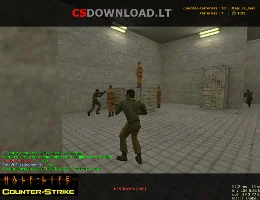
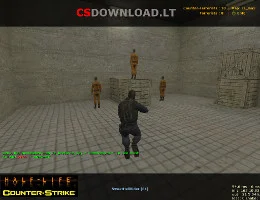
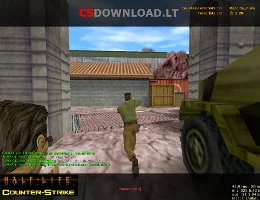
 Looking for a CS 1.6 Windows 10 download that installs without errors? This Counter-Strike 1.6 version is tested on Windows 10 (32-bit and 64-bit) and works just as well on Windows 11, 8.1 and 7. It is a clean, English version of the classic game with bots, a working server list and good network settings, so you can play online right after installation.
The download is free, without registration and without a Steam account. Use the İndir buttons below this text.
Ne dahildir
- Original Counter-Strike 1.6 – standard maps, weapons, models and sounds (skins not modified).
- Fully English text and radio commands.
- Bots with all difficulty levels for offline or LAN play.
- Working server list with favorites – find servers without a browser.
- Ready network settings for low ping.
- No ads and no extra programs in the installer.
Windows 10'e CS 1.6 nasıl yüklenir?
- Tıkla İndir below and save the setup file.
- Open it. If Windows shows “Windows bilgisayarınızı koruyor.”tık Daha fazla bilgi → Yine de çalıştır.
- Install to a folder like
C:\Games\Counter-Strike 1.6– not to Program Files, otherwise Windows 10 may block saving settings. - Start the game from the desktop shortcut, set your name in Seçenekler → Çok Oyunculu ve açık Sunucu bul.
Windows 10 tips for CS 1.6
- Siyah ekran: seçmek OpenGL in Seçenekler → Video veya ekle
-gl -nofbokısayola Hedef. - Low FPS on a laptop: in Settings → System → Display → Graphics settings set
hl.exeiçin Yüksek performans. - Antivirus deletes files: add the game folder to Windows Security → Exclusions.
- Mouse acceleration: eklemek
-noforcemaccel -noforcemparmsto the launch options.
Daha yardım: CS 1.6 FPS artışı, CS 1.6 errors and fixes. Using Windows 11? See Windows 11 için CS 1.6.
Özellikler
- oyun: Counter-Strike 1.6 (non-steam)
- Dil: İngilizce
- Oyun modları: online, LAN, with bots
- sistem: Windows 10, 11, 8.1, 7
- Gereksinimler: 1.2 GHz CPU, 512 MB RAM, 128 MB video card, 750 MB free space